
Rack Cabling, Labeling, and Rack Design Standards
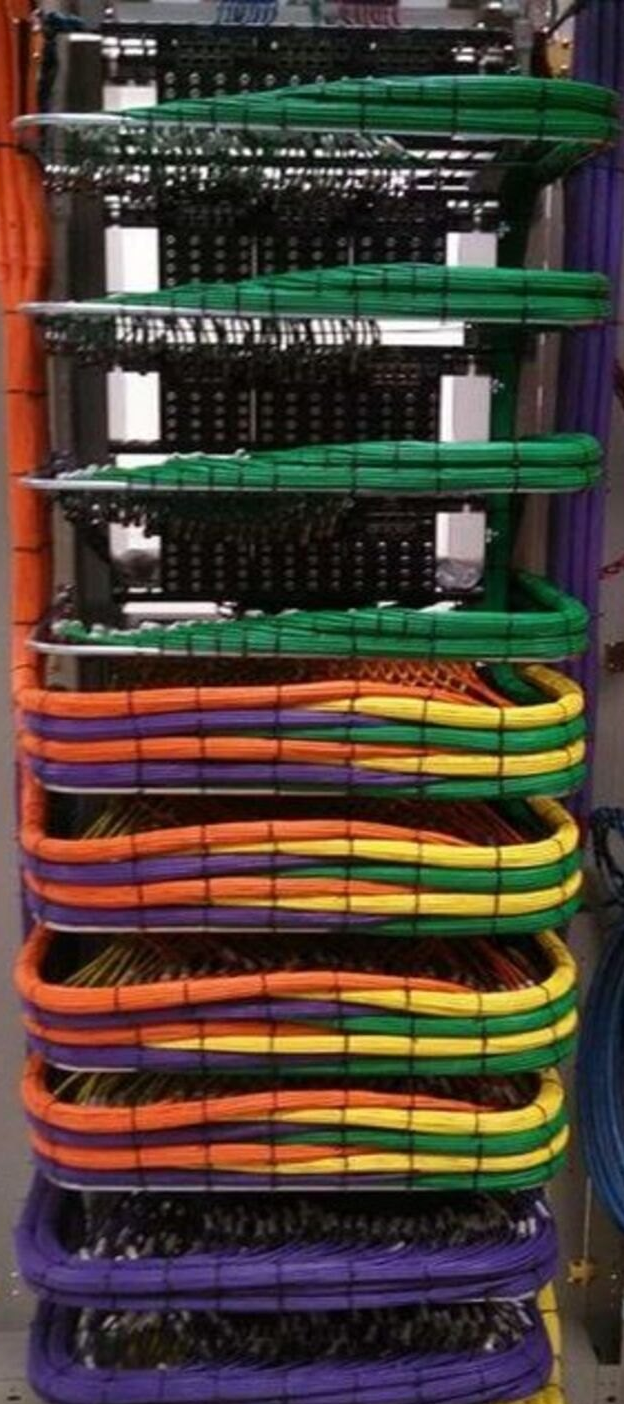
A clean rack is not just about appearance. Proper rack layout, cable management, labeling, power design, and thermal planning directly affect system reliability, serviceability, troubleshooting speed, and long-term support.
Whether you are building a conference room rack, broadcast support rack, classroom AV system, control room rack, or equipment enclosure, the goal is the same: every cable should be identifiable, serviceable, protected, and routed in a way that supports the system instead of creating future problems.
Why Rack Cabling Standards Matter
Poor rack cabling can cause several issues:
- Difficult troubleshooting during outages
- Unclear signal paths
- Damaged cables from tight bends or poor strain relief
- Interference between power and signal cabling
- Blocked airflow and overheating
- Longer service calls because technicians cannot quickly identify cables
- Higher risk when replacing, moving, or upgrading equipment
In AV environments, racks often contain a mix of network switches, DSPs, amplifiers, control processors, receivers, transmitters, encoders, decoders, power supplies, UPS units, PDUs, and patching hardware. Without a consistent standard, even a working rack can become difficult to support.
Key Standards and References
AVIXA F501.01:2015: Cable Labeling for Audiovisual Systems
AVIXA F501.01:2015 defines requirements for AV system cable labeling. The purpose of the standard is to make power and signal paths easy to identify in completed AV systems, which helps with operation, support, maintenance, and troubleshooting. AVIXA lists the document as Cable Labeling for Audiovisual Systems, with a publication date of January 2016.
At a practical level, this means cable labels should be consistent, readable, durable, and meaningful. A cable label should help a technician understand where the cable comes from, where it goes, and what it is used for.
AVIXA F502: Rack Building for Audiovisual Systems
AVIXA’s rack building standard defines requirements for AV rack planning, equipment loading, integration, cable management, power and signal routing, thermal management, and finishing. AVIXA describes rack mounting, cable management for power and signal, thermal management, and finishing as key performance criteria.
This is important because a rack is not just a storage cabinet. It is part of the system design. Equipment placement, service access, cable pathways, airflow, labeling, and power distribution all need to be considered before the rack is built.
ANSI/TIA-568-C: Balanced Twisted-Pair Telecommunications Cabling
ANSI/TIA-568-C is commonly referenced for structured cabling and balanced twisted-pair telecommunications cabling. In AV environments, this is especially relevant when AV systems rely on category cabling for network connectivity, HDBaseT, AV-over-IP, control systems, patch panels, or endpoint connections.
Even though AV racks may include many cable types, twisted-pair cabling still needs to be handled carefully. Cable twist, bend radius, termination quality, and excessive pulling force can affect performance.
Cable Labeling Best Practices
Cable labels should be planned before installation, not added as an afterthought. A good labeling system should be readable by someone who did not install the system.
Recommended Labeling Practices
- Label both ends of every cable.
- Use a consistent naming format across the entire rack or facility.
- Identify the source and destination when possible.
- Use labels that are durable and appropriate for the environment.
- Avoid handwritten labels unless it is a temporary emergency label.
- Keep labels visible after the rack is dressed.
- Update documentation when cables are moved or replaced.
Example Cable Label Format
RACK-ROOM-DEVICE-PORT-DESTINATION

Example:
AVR1-SW01-P24-TABLE01
AVR1-DSP01-OUT03-AMP01-IN03
AVR1-CP01-LAN-SW01-P12
The exact format matters less than consistency. The label should make sense to the support team and match the rack elevation, signal flow diagram, patch schedule, or as-built documentation.
Rack Layout and Equipment Placement
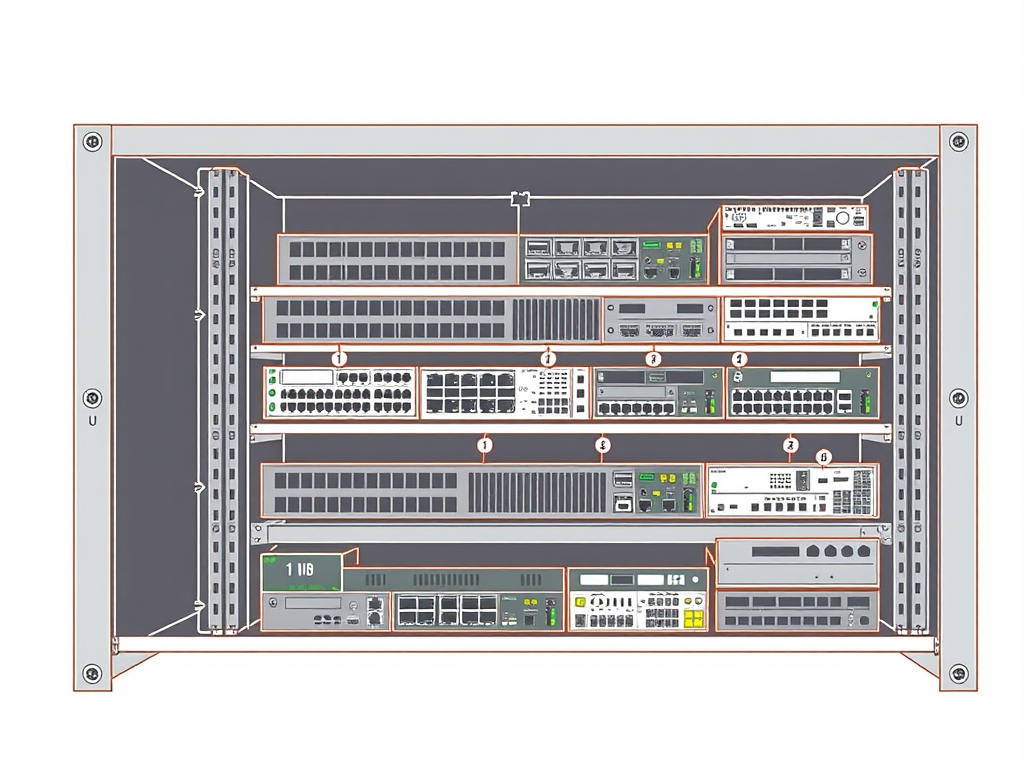
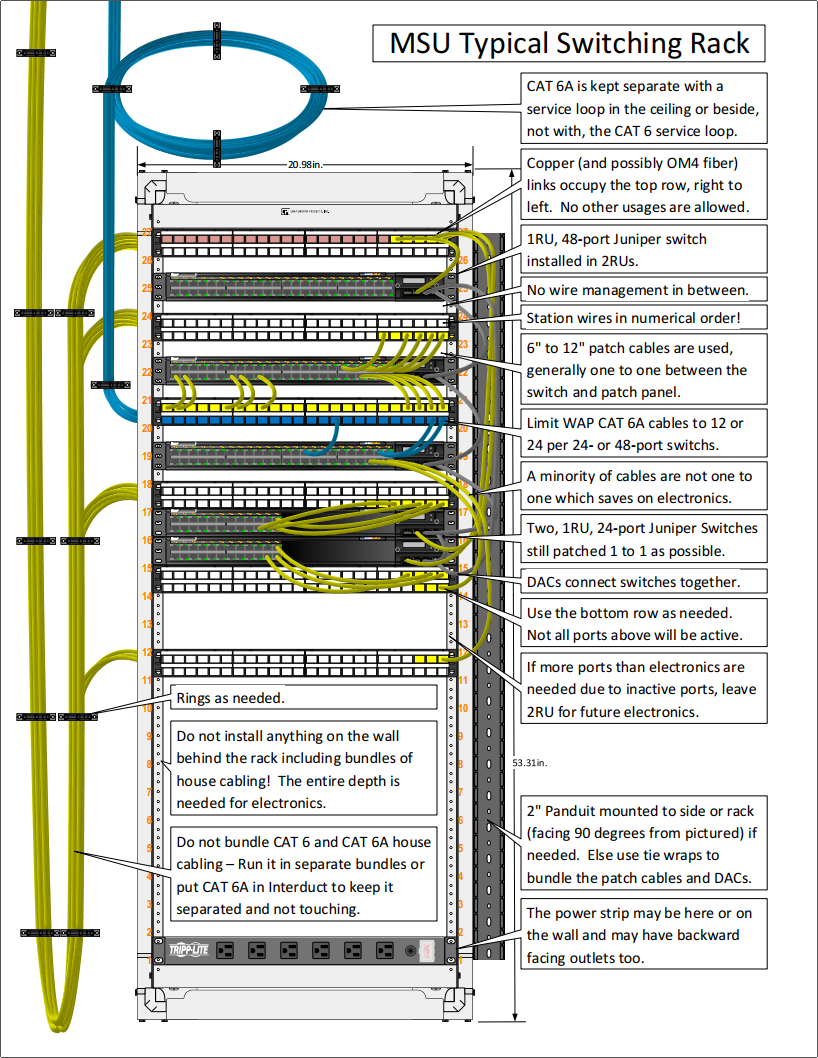
Before mounting equipment, plan the rack layout. Do not simply install devices wherever they fit. Equipment placement affects heat, service access, cable length, weight distribution, and troubleshooting.
General Rack Layout Guidelines
- Place heavier equipment lower in the rack.
- Leave space for airflow where required by the manufacturer.
- Group related equipment logically.
- Keep patching and network gear accessible.
- Use blank panels where needed to improve airflow and appearance.
- Leave service loops where appropriate, but avoid excessive cable slack.
- Separate power cabling from signal cabling where possible.
Rack elevation drawings are extremely helpful. Even a simple rack elevation can prevent confusion during installation and future service.
Cable Management Inside the Rack
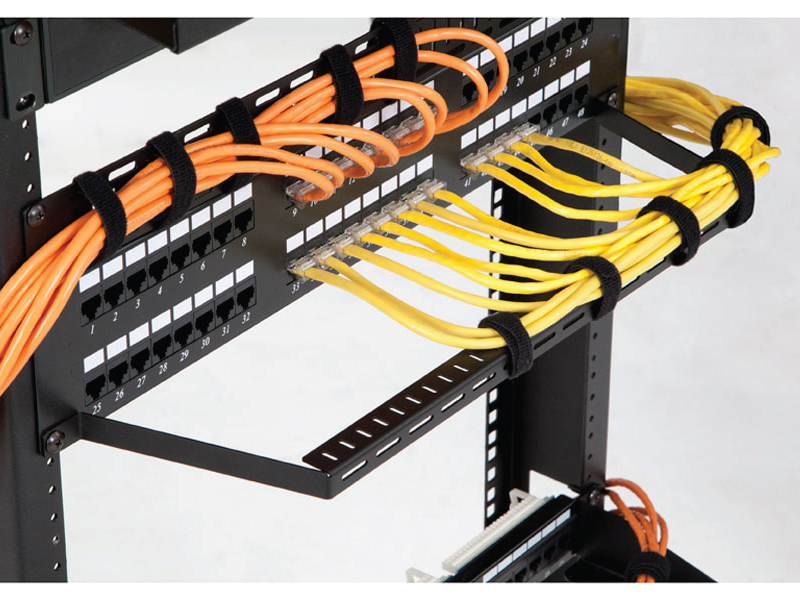
Middle Atlantic’s Cable Management Guide emphasizes several practical cable management concerns, including cable entry, bend radius, strain relief, cable separation, lacer bars, vertical lacer strips, and hook-and-loop cable fasteners. The guide warns against cable twists, staples, tight cable ties, small bend radii, and excessive pull force.
Avoid Tight Cable Ties
Tight cable ties can damage or deform certain cables, especially category cabling. The Middle Atlantic guide specifically notes that hook-and-loop straps should be used when installing cable that is sensitive to strain or when a tight wrap could affect cable performance.
For AV racks, hook-and-loop straps are usually better than plastic zip ties because they can be reopened, adjusted, and reused when equipment is changed.
Maintain Bend Radius
Do not force cables around sharp corners or behind equipment without enough clearance. Cable bends that are too tight can affect performance, especially with category cable, coaxial cable, fiber, and high-bandwidth AV cabling.
Use Lacer Bars and Cable Supports
Lacer bars, vertical lacer strips, horizontal lacer bars, D-rings, cable managers, and tie saddles help keep cable bundles supported and organized. They also reduce strain on equipment ports.
The goal is to support the cable path so the weight of the cable is not hanging directly from connectors, patch panels, or device ports.
Separate Power and Signal Cabling
Power and signal cables should not be treated the same. The Middle Atlantic Cable Management Guide notes that segregation of cables inside the rack is important and warns that AC power cables or speaker cables should not be run parallel in close proximity to signal wires unless the wires are twisted.
As a practical rule, keep AC power, speaker-level wiring, network cabling, audio cabling, video cabling, control cabling, and fiber organized into separate pathways wherever possible.
Common Cable Groups
- AC power cables
- Low-voltage DC power cables
- Category/network cabling
- Balanced audio cabling
- Speaker cabling
- HDMI, SDI, DisplayPort, or other video cabling
- Fiber cabling
- Control cabling
Power, UPS, PDU, and Surge Protection Planning
Power design is a major part of rack reliability. Legrand AV’s Power Ecosystem white paper describes UPS and PDU systems as offering features designed for digital components, and explains that when used together they can provide end-to-end power protection, control, and management.
Do not wait until the rack is built to think about power. Plan the power ecosystem early.
Power Planning Questions
- How many devices require AC power?
- How many devices use external DC power supplies or wall warts?
- Does the system need UPS backup?
- How much runtime is required?
- Which devices should be on battery backup?
- Which devices only need surge protection?
- Does the rack need remote power cycling?
- Does the PDU support outlet-level control or monitoring?
- Is there enough power capacity for future expansion?
Wall Warts and DC Power
External power supplies can make a rack messy and unreliable if they are not managed correctly. They can block outlets, fall loose, create heat, and make service more difficult. Whenever possible, use proper DC power management accessories, shelves, retention brackets, or centralized DC power solutions designed for rack environments.
Thermal Management
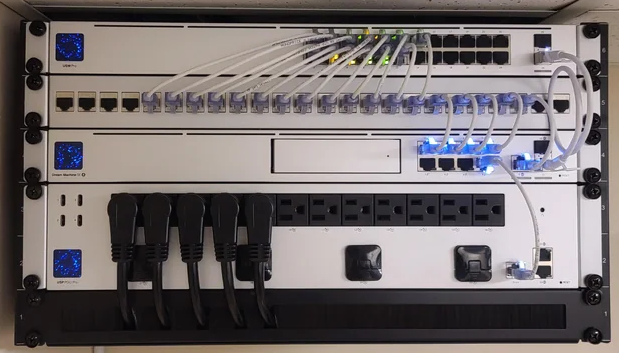
Heat is one of the most overlooked rack design issues. Legrand AV’s thermal management white paper focuses on designing effective thermal management for AV systems and notes that this information helps determine what the HVAC system needs to support the installed AV equipment.
Thermal planning matters because AV racks often contain heat-generating equipment in enclosed spaces. Amplifiers, network switches, encoders, decoders, DSPs, processors, and power equipment can all contribute to heat buildup.
Thermal Management Checklist
- Verify manufacturer airflow requirements.
- Do not block side, rear, top, or front ventilation paths.
- Use blank panels where needed to manage airflow.
- Do not overpack the rack.
- Consider fan tops, vented panels, or active cooling when required.
- Check room ventilation and closet HVAC capacity.
- Account for heat load during design, not after installation.
Rack and Furniture Design Tools
Legrand AV provides Rack and Furniture Tools that are intended to help simplify and guide rack and furniture design. Their tools include a 3D rack design tool, an RSH Custom Rackshelf Finder, and a console desk configuration tool. The RSH finder is described as having a database of more than 11,000 measured components for matching equipment to custom rack shelves and faceplates.
These tools are useful when planning rack layouts, shelves, faceplates, furniture, and console designs before ordering hardware.
Practical AV Rack Build Checklist
Before Installation
- Create a rack elevation.
- Create a signal flow diagram.
- Plan cable labels and naming conventions.
- Confirm rack depth, ventilation, and service access.
- Confirm power requirements, UPS requirements, and PDU layout.
- Confirm cable entry from top, bottom, wall, floor, tray, ladder, or conduit.
- Confirm future expansion requirements.
During Installation
- Mount heavy equipment lower in the rack.
- Separate power and signal cabling.
- Use hook-and-loop straps instead of tight zip ties where appropriate.
- Maintain proper bend radius.
- Use lacer bars and strain relief.
- Label both ends of every cable.
- Dress cables so labels remain visible.
- Keep airflow paths clear.
After Installation
- Verify every cable label against the documentation.
- Test all signal paths.
- Confirm network ports and patching.
- Confirm UPS and PDU behavior.
- Check rack temperature during normal operation.
- Take final rack photos.
- Update as-built documentation.
Documentation Matters
A rack should not depend on tribal knowledge. The final documentation should make it possible for another technician to understand and support the system.
Recommended Documentation
- Rack elevation
- Signal flow diagram
- Cable schedule
- Network port map
- Power schedule
- UPS and PDU configuration notes
- Device IP address list
- Firmware/software version list
- Photos of front and rear rack conditions
- As-built notes after installation
This is especially important in environments where multiple technicians, vendors, or support teams may touch the same system over time.
Final Thoughts
Good AV rack design is a combination of standards, planning, craftsmanship, and documentation. A professional rack should be easy to understand, easy to service, properly cooled, properly powered, and clearly labeled.
The best time to solve rack cabling problems is before the rack is built. Using standards such as AVIXA cable labeling and rack building guidance, structured cabling principles, and manufacturer resources from companies like Middle Atlantic and Legrand AV can help produce cleaner, more reliable, and more supportable AV systems.
References
- AVIXA: Cable Labeling for Audiovisual Systems
- AVIXA: Rack Building for Audiovisual Systems
- Legrand AV: Rack and Furniture Tools
- Legrand AV: The Power Ecosystem
- Legrand AV: AV Surge Protection
- Legrand AV: The DC Power Dilemma
- Legrand AV: 5 Steps to Selecting a UPS
- Legrand AV: Controlling the Temperature Inside Equipment Enclosures
- Middle Atlantic: Cable Management Guide