
Category Archives: Microsoft Applications
Troubleshoot and Fix the Microsoft Teams Meeting Add-in Missing in Outlook
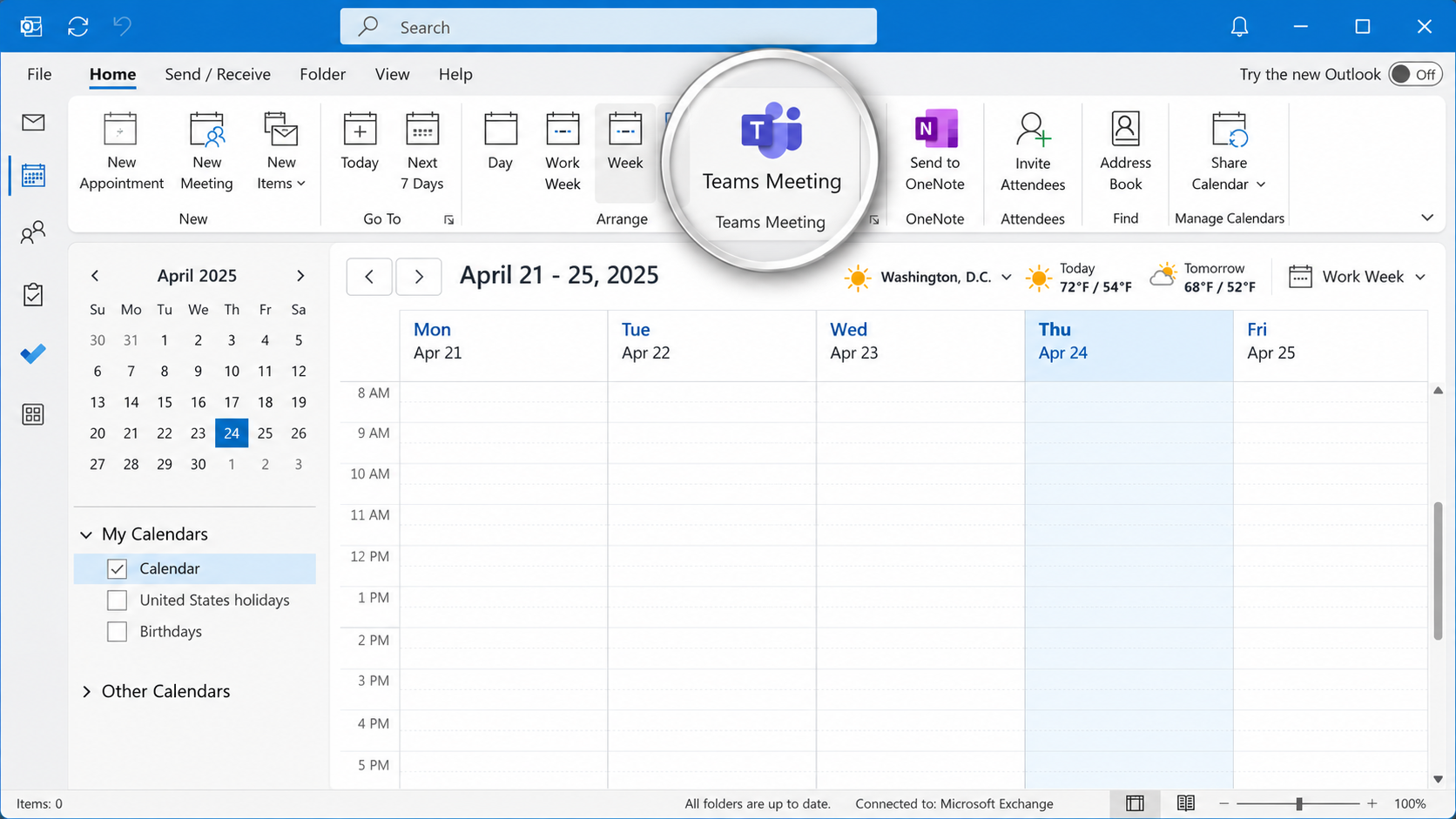
The Microsoft Teams Meeting add-in allows users to schedule and manage Teams meetings directly from Microsoft Outlook. However, the integration can occasionally stop working, causing the Teams Meeting button to disappear, become disabled, or fail to generate meeting invitations. These issues can occur following Microsoft Office updates, Teams upgrades, software installations, changes to Windows […]
Understanding Email Authentication Headers: SPF, DKIM, and DMARC Explained
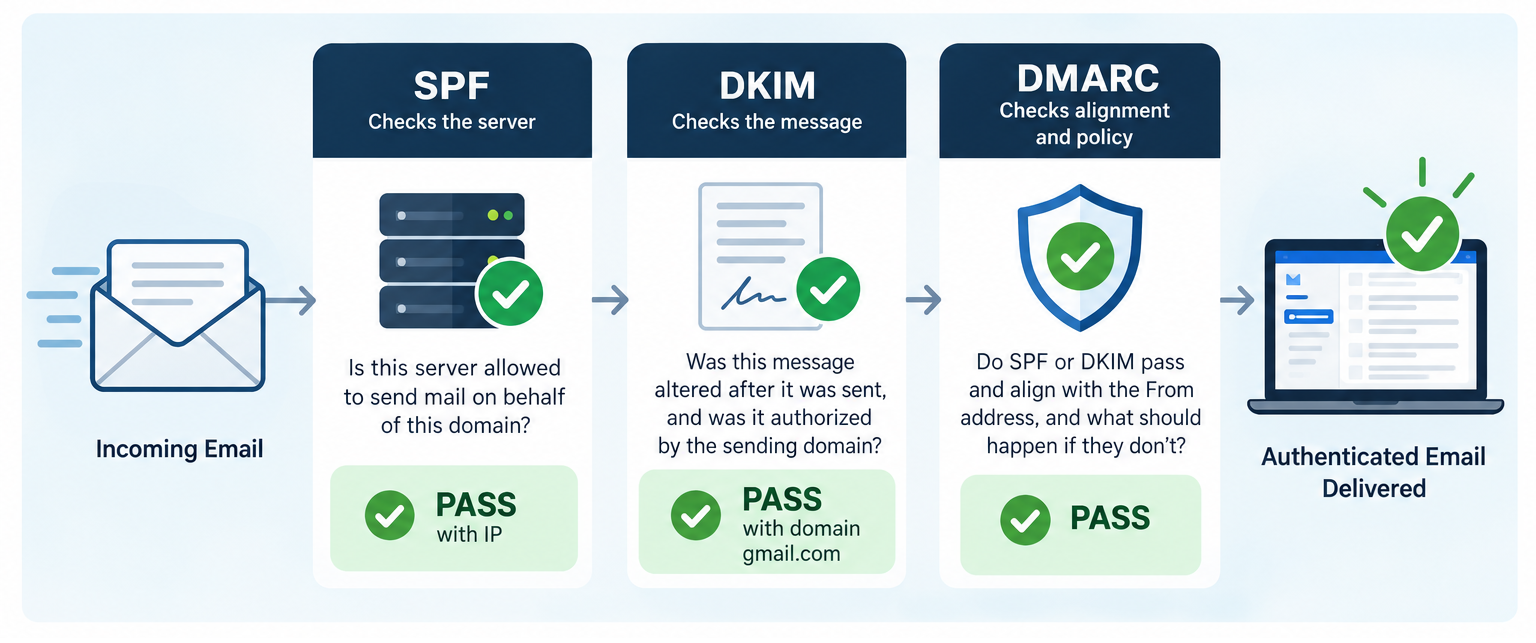
Email authentication plays an essential role in protecting against domain spoofing, phishing, and unauthorized email delivery. Three key standards, SPF (Sender Policy Framework), DKIM (DomainKeys Identified Mail), and DMARC (Domain-based Message Authentication, Reporting, and Conformance), work together to verify sending servers, validate message integrity, and confirm that authentication aligns with the sender’s domain. Understanding how […]
WSReset – What it is and How to Use it
wsreset.exe is a built-in Windows command-line utility used to clear the Microsoft Store cache and troubleshoot problems with the Microsoft Store. The executable is located in: C:\Windows\System32\wsreset.exe WSReset can be useful when the Microsoft Store experiences problems such as: The Microsoft Store will not open. Apps will not download. App downloads or updates become stuck. […]
How to Check if 32-bit or 64-bit Microsoft 365 Apps Are Installed
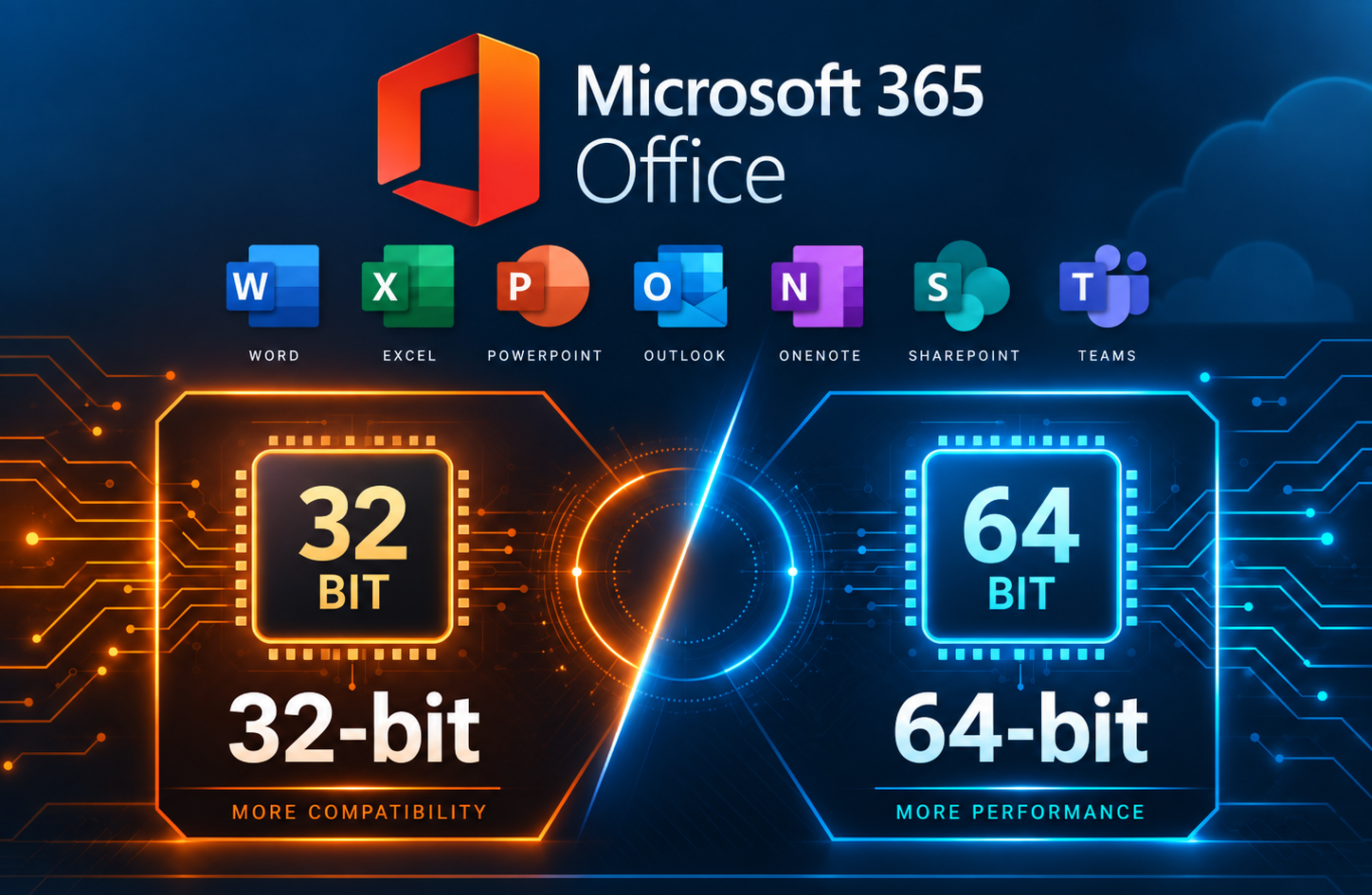
When troubleshooting Microsoft 365 Apps, you may need to determine whether the installed version of Office is 32-bit or 64-bit. This can be important when working with Office add-ins or other software that depends on specific installed Office versions. This method is especially useful when Microsoft 365 Apps are not activated, since the Office applications […]
So You Want to Be a Hacker, Eh?

Let’s get one thing out of the way first. No, this is not about breaking into your school’s grading system, guessing your friend’s Instagram password, or “testing” your neighbor’s WiFi. This is about ethical hacking, also known as cybersecurity, where people are actually paid to find problems before the black hats (Malicious or Illegal hackers) […]
Temporarily Changing Environment Variables for a Single Session in Windows
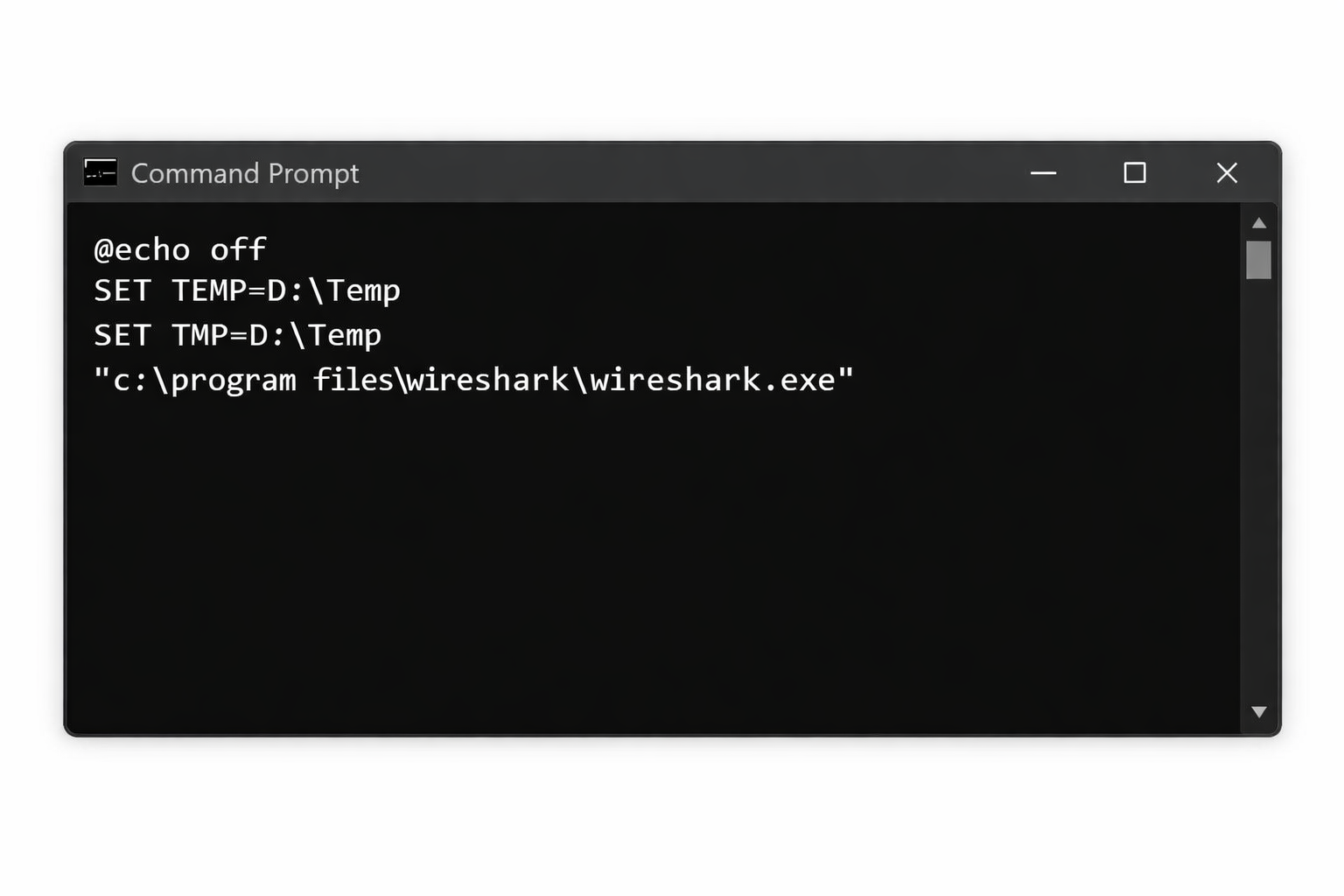
There are situations where you need to run an application using different environment variable values without permanently modifying system or user settings. This is common in troubleshooting, testing, or working within locked down corporate environments. Windows allows environment variables to be overridden per session, meaning the changes only apply to the current Command Prompt or […]
How to connect to MS 365 Admin and Exchange via Powershell
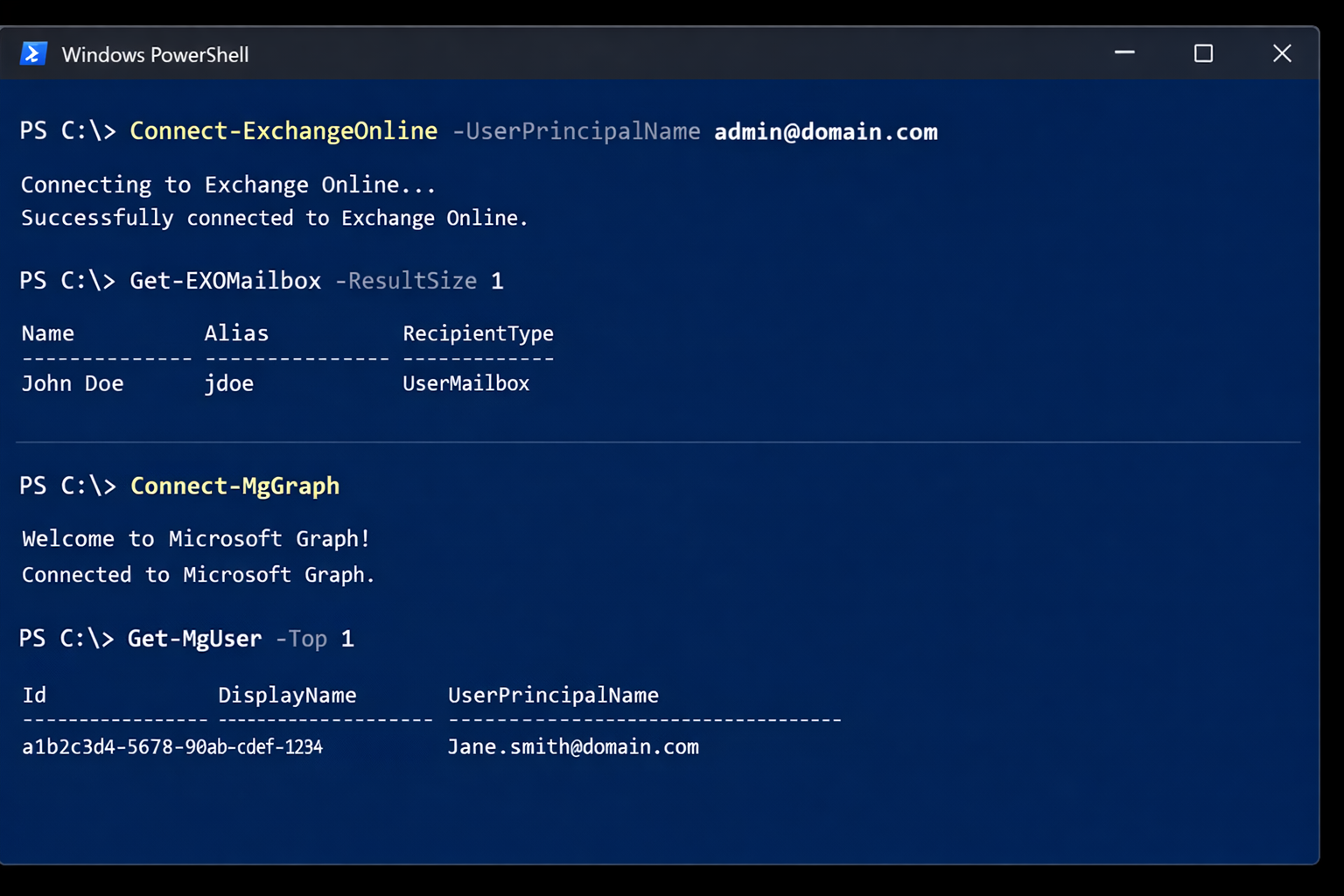
If you manage Microsoft 365, you will typically use two PowerShell modules: Exchange Online PowerShell (ExchangeOnlineManagement) for mail, recipients, transport rules, and mailbox settings. Microsoft Graph PowerShell (Microsoft.Graph) for broader Microsoft 365 and Entra ID administration (users, groups, licensing, devices, and more). This guide shows the exact commands to get connected, plus a detailed breakdown […]
Understanding DNS in Active Directory
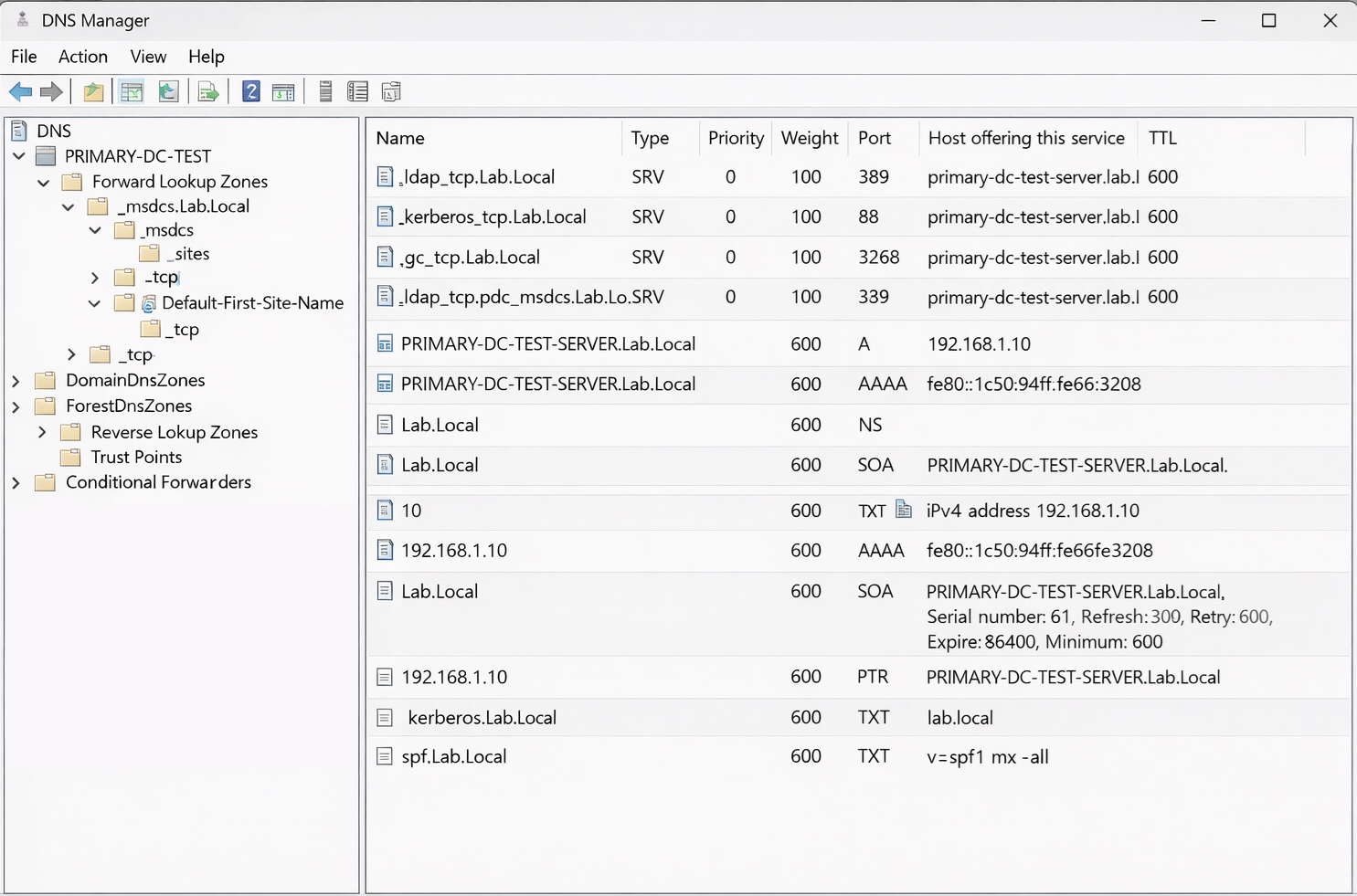
How Domain Controllers, SRV Records, Kerberos, and NETLOGON Actually Work When most people think of DNS, they think of simple name resolution. A hostname resolves to an IP address, and that is it. In an Active Directory environment, DNS plays a much deeper role. It is not just name resolution. It is service discovery, […]
Convert an Exchange Online User Mailbox to a Shared Mailbox Using PowerShell

Converting a user mailbox to a shared mailbox is a common offboarding and delegation workflow in Microsoft 365. It lets a team continue to access a mailbox (and optionally send as it) without requiring the mailbox to remain a licensed user, as long as you stay within shared mailbox limits. When this is the right […]