
Category Archives: Microsoft Applications
How to Fix the “Your Organization Manages Updates” Error in PC Health Check
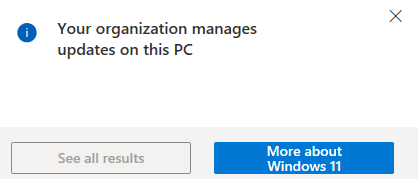
Fixing the “Your Organization Manages Updates” Error in PC Health Check When running Microsoft’s PC Health Check app, some users encounter a misleading warning stating that updates are managed by their organization. This message can appear even on personal or standalone systems that are not joined to a domain, not enrolled in MDM, and […]
adsiedit.msc vs dsa.msc: Two Active Directory Tools Every Admin Should Understand

adsiedit.msc vs dsa.msc: Two Active Directory Tools Every Admin Should Understand If you manage Active Directory (AD), you will eventually encounter two long-standing Microsoft management consoles: adsiedit.msc (ADSI Edit) dsa.msc (Active Directory Users and Computers, commonly called ADUC) Although they both interact with the same directory, they serve very different purposes. One is designed for […]
Restore the original Windows Photo Viewer in Windows 11

How to Restore Windows Photo Viewer in Windows 11 Many users still prefer the speed and simplicity of the classic Windows Photo Viewer. Although Microsoft did not remove the program itself, the registry entries that associate image file types with Photo Viewer were removed during the upgrade from Windows 10. This is why Photo Viewer […]
Microsoft Outlook – Advanced Email Search Cheat Sheet

With the sheer volume of emails flooding our inboxes daily, it’s no wonder that tracking down that one important message can feel like searching for a needle in a haystack. I’m often asked how to make Outlook work for you, especially when you’re trying to locate a specific email buried in the chaos. This article […]
Excel VLOOKUP Explained: Step-by-Step Example
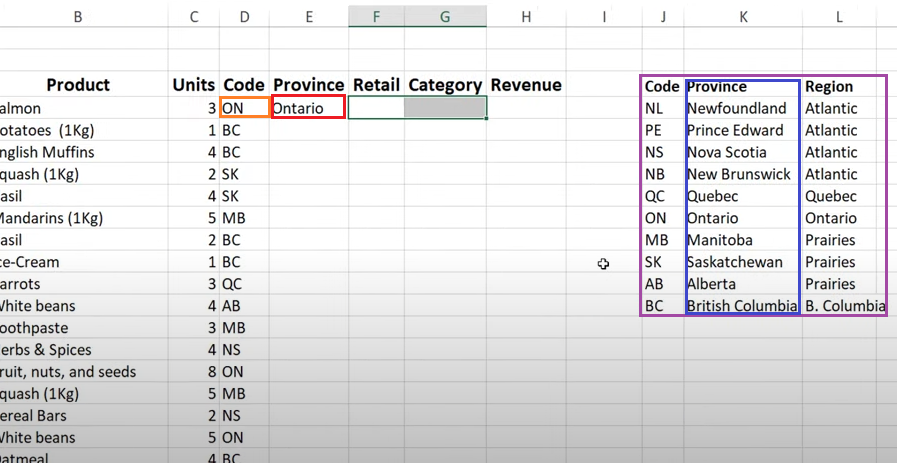
How to Use VLOOKUP in Excel (Step-by-Step Example) VLOOKUP is one of Excel’s most commonly used formulas. It allows you to search for a value in a table and return related data from another column in the same row. In this example, we will use VLOOKUP to convert a province code into a full […]
Remove Locally Stored Outlook Passwords (Windows 7–10, Outlook 2010–2016)
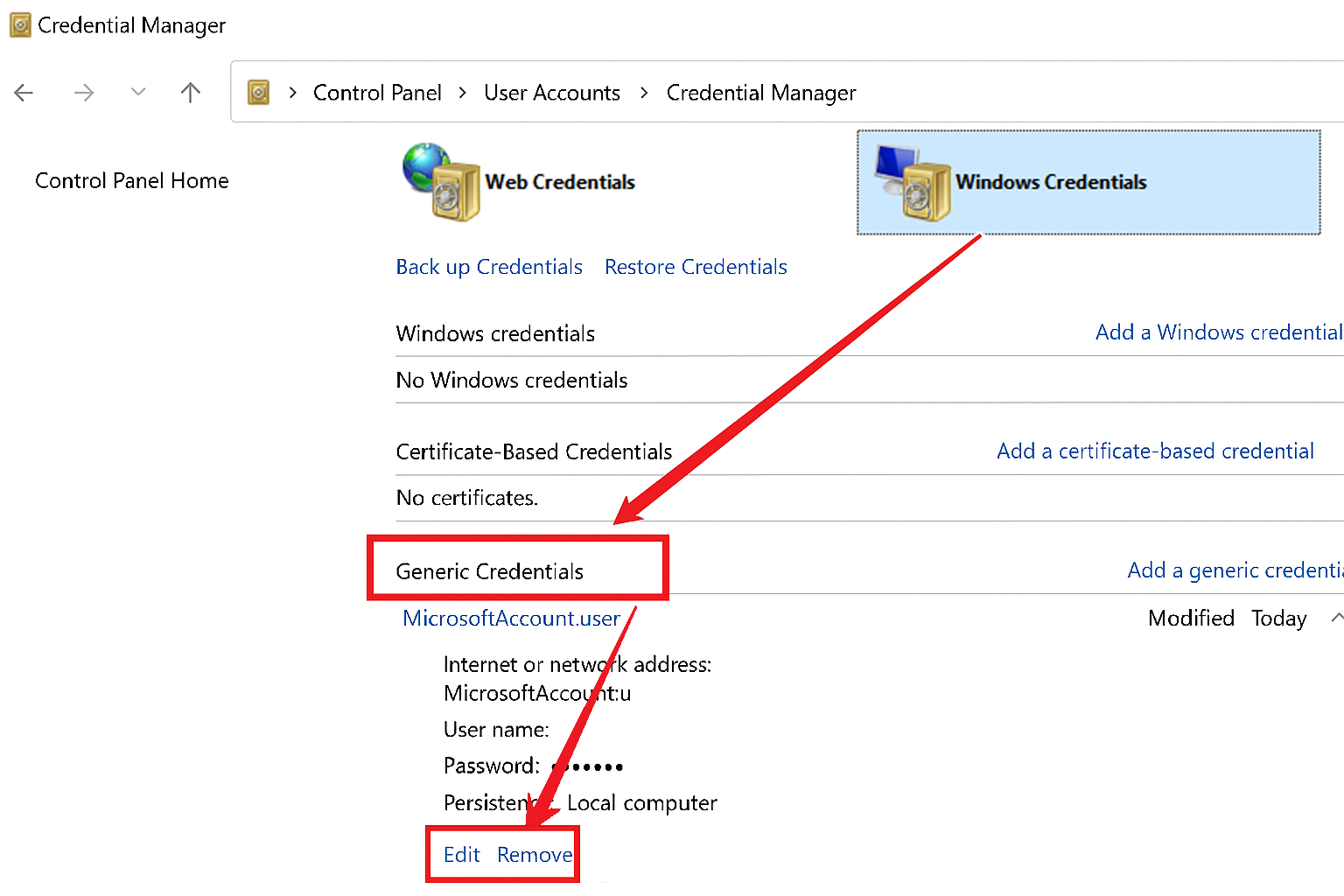
Use the steps below to remove saved Outlook or Microsoft Office credentials from Windows Credential Manager. This is useful when you need to reset stored passwords or resolve authentication issues, which could be caused by corrupted, cached credentials. Steps to Remove Stored Credentials: Open the Control Panel Open the Start Menu and then select “Control […]