
Understanding Video and Network Latency in AV Systems
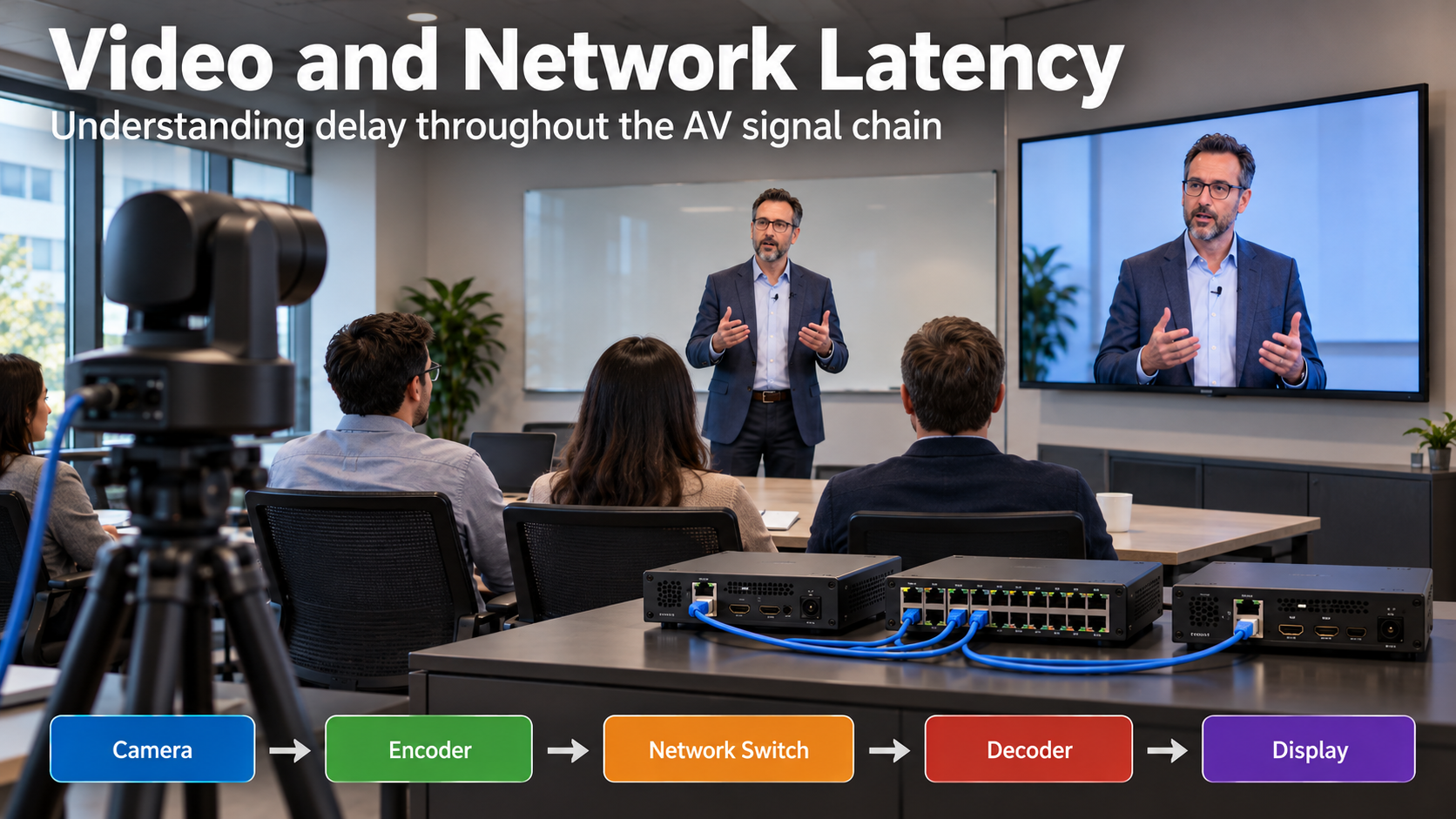
Latency is one of the most important factors affecting the performance of audio and video systems. Whether you’re working with a videoconferencing system, a live presentation, or a distributed AV-over-IP installation, excessive latency can cause noticeable delays, synchronization problems, and a poor viewing experience.
Understanding where latency originates, how it is measured, and how individual devices contribute to the overall delay is essential when designing or troubleshooting AV systems.
What Is Latency?
Latency is the amount of time it takes for a signal to travel from its source to its destination.
In an AV system, every component that processes or transports audio or video can contribute to the overall latency.
For example, consider a camera capturing a presenter and sending the video to a display through an AV-over-IP system.
The signal follows a path similar to this:
Camera → Video Encoder → Network → Video Decoder → Display
Each stage introduces some amount of delay. Although individual components may introduce only a few milliseconds of latency, these delays accumulate as the signal passes through the system.
The total delay between the original event and the displayed image is known as end-to-end latency, or more specifically, glass-to-glass latency.
Understanding Glass-to-Glass Latency
Glass-to-glass latency measures the time between an event being captured by a camera lens and that event appearing on a display.
This measurement includes the entire video signal path, not just the network connection.
According to Biamp’s technical documentation, glass-to-glass latency can be broadly categorized as follows:
| Latency | General description |
|---|---|
| Below 100 ms | Extremely low latency |
| Below 200 ms | Very low latency |
| Below 300 ms | Low latency |
| Above 300 ms | Increasingly noticeable in latency-sensitive applications |
These are general descriptions from Biamp, not universal performance standards.
The acceptable amount of latency depends heavily on how the system is being used.
- Live concerts: Large video displays need to closely follow the performer’s movements.
- Videoconferencing: Excessive delays can make conversations feel unnatural and cause participants to interrupt one another.
- Medical applications: A surgeon operating while viewing a camera feed may require extremely low latency.
- Recorded presentations: A fixed delay may be acceptable as long as audio and video remain synchronized.
- Multiple displays: Even when overall latency is acceptable, differences in delay between displays can become distracting.
An important distinction is that a system can have noticeable overall latency while still maintaining proper audio and video synchronization. These are related but separate concerns.
How Frame Rate Affects Video Latency
Video latency is frequently measured in frames rather than milliseconds.
However, a frame of latency does not represent a fixed amount of time. Its duration depends on the video’s frame rate.
Frame rate, measured in frames per second (fps), determines how many individual images are displayed each second.
| Frame rate | Duration of one frame |
|---|---|
| 24 fps | 41.7 ms |
| 30 fps | 33.3 ms |
| 50 fps | 20 ms |
| 60 fps | 16.7 ms |
For example, consider a video processing device that introduces 1.5 frames of latency.
At 60 fps:
1.5 × 16.7 ms = approximately 25 ms
At 24 fps:
1.5 × 41.7 ms = approximately 62.5 ms
The device introduces the same number of frames of delay in both examples, but the actual delay in milliseconds is considerably different.
This is why latency specifications expressed in frames should always identify the frame rate used during testing.
Where Does Video Latency Come From?
Video latency is not necessarily caused by a slow network.
In many professional AV installations, the camera and display can introduce more latency than the network transmission itself.
The major sources of latency include the following.
1. Camera Processing
A camera does considerably more than simply capture an image and transmit it.
Depending on the model, the camera may perform several operations, including:
- Converting light captured by the image sensor into digital information.
- Processing image color, brightness, and other characteristics.
- Scaling or converting video resolutions.
- Performing image stabilization or other enhancements.
- Compressing the video before transmission.
Each operation takes time.
According to Biamp, some 4K cameras can introduce approximately 3 to 4 frames of latency before their video signal even reaches an external encoder.
At 60 fps, this represents approximately 50 to 67 milliseconds of delay.
In certain installations, the camera itself may be the largest contributor to the overall video latency.
2. Video Encoding and Decoding
When video is transmitted across a network, an encoder prepares the video for transmission.
At the receiving end, a decoder converts the transmitted information into a format that the display can use.
Depending on the equipment and configuration, this process may involve compression, scaling, and other processing.
These operations introduce additional delay.
Biamp provides an example using its TesiraLUX video distribution system.
For TesiraLUX operating at 60 fps, Biamp specifies the following total video transit latency:
- Without compression: Approximately one frame, or 16 milliseconds.
- With compression up to 20:1: Less than 1.5 frames, or 25 milliseconds.
These figures include encoding, scaling, compression, network transit, and decoding. They are not separate latency estimates for the encoder and decoder.
Biamp also notes that reducing the frame rate introduces an additional frame of latency because the system must adjust the timing of the video stream.
Importantly, these figures apply specifically to TesiraLUX and should not be assumed to represent the performance of other AV-over-IP products.
3. Network Transmission
When video travels across an Ethernet network, it passes through networking equipment such as switches and potentially routers.
The network adds transmission and processing delay.
Network conditions can also affect the consistency and reliability of video delivery.
Potential problems include:
- Network congestion.
- Insufficient available bandwidth.
- Improper traffic prioritization.
- Packet loss.
- Network jitter, meaning variations in packet arrival times.
However, these problems should not all be classified simply as latency.
For example, packet loss may produce missing frames or visible image artifacts, while jitter may require buffering in systems designed to compensate for it.
A network that is functioning properly may contribute relatively little delay compared with the camera, encoder, decoder, or display.
This distinction is important when troubleshooting an AV-over-IP installation.
A high glass-to-glass delay does not automatically indicate a network problem.
4. Display Processing
The display is the final stage of the video signal path, and it can introduce a significant amount of latency.
Modern displays frequently process incoming video to improve image quality.
Depending on the display, processing may include:
- Motion smoothing.
- Image scaling.
- Noise reduction.
- Color enhancement.
- Frame rate conversion.
These features can improve picture quality but may increase the time required to display each frame.
Biamp notes that display latency can range from approximately 10 milliseconds to 100 milliseconds or more, depending on the display model and its settings.
Some displays provide a low-latency or Game Mode that reduces unnecessary image processing.
When troubleshooting video delay, checking the display’s processing settings can be just as important as examining the network.
Calculating Total Video Latency
To understand how delays accumulate, consider a simplified example of a 4K camera transmitting video at 60 fps.
| Component | Example latency |
|---|---|
| Camera processing | 50 ms |
| Encoding, network transit, and decoding | 25 ms |
| Display processing | 17 ms |
| Total glass-to-glass latency | 92 ms |
In this example, the complete system introduces approximately 92 milliseconds of latency.
The camera contributes more than half of that delay.
These are illustrative figures, not measured results or a performance guarantee for a particular installation.
The important point is that replacing network equipment or increasing available bandwidth would not necessarily resolve the problem if most of the delay originates from the camera or display.
Understanding Audio and Video Lip Sync
Latency becomes particularly noticeable when audio and video are not synchronized.
This is commonly called a lip-sync problem.
A typical example occurs when a presenter speaks and the audience sees their lips moving before or after hearing their voice.
The human brain is sensitive to these timing differences.
Interestingly, people are generally more tolerant of audio arriving slightly after the video than audio arriving before it.
This is partly because sound travels much slower than light, and in everyday situations we naturally experience sound arriving after the event we see.
According to ITU-R Recommendation BT.1359, the approximate thresholds at which average viewers begin detecting synchronization problems are:
| Synchronization issue | Approximate detection threshold |
|---|---|
| Audio plays before video | 45 ms |
| Audio plays after video | 125 ms |
These are perceptual thresholds, not recommended targets for configuring a system. Keeping audio and video as closely synchronized as practical is preferable.
Correcting Audio and Video Synchronization
In many AV systems, video processing introduces more latency than audio processing.
Consequently, the audio may reach the audience before the corresponding video image appears.
One solution is to introduce a controlled amount of audio delay so the sound arrives at the same time as the video.
For example, if the video path introduces 100 milliseconds of delay while the audio path introduces 20 milliseconds, approximately 80 milliseconds of additional audio delay may be needed to align them.
However, adding audio delay does not reduce the video latency itself. It only helps synchronize the two signals.
Some AV systems provide adjustable audio delays to compensate for these differences.
Biamp’s TesiraLUX documentation, for example, specifies up to 64 milliseconds of audio delay within its IDH-1 and OH-1 endpoints.
The documentation recommends applying delay at the output endpoint in many situations because display processing times and distances from the original source can vary.
Troubleshooting Video and Network Latency
When troubleshooting latency, the objective should be to identify where the delay is being introduced rather than assuming the network is responsible.
The following approach can help isolate the cause.
Step 1: Identify the Actual Problem
First, determine what the user is experiencing.
- Is the entire video image delayed compared with the live event?
- Is the audio playing before or after the video?
- Are multiple displays showing the same content at different times?
- Does the delay remain constant, or does it change during operation?
These symptoms can indicate different causes and require different troubleshooting approaches.
Step 2: Map the Complete Signal Path
Document the path between the video source and destination.
Identify the camera, encoder, network equipment, decoder, display, and any additional video processing equipment.
Do the same for the associated audio signal.
This helps establish where processing and synchronization differences may occur.
Step 3: Measure the Delay
Whenever possible, measure the actual latency rather than relying entirely on manufacturer specifications.
One approach is to display a running millisecond timer in front of the camera and compare the live timer with its image on the destination display.
Capturing both in the same photograph can provide an approximate measurement of glass-to-glass delay.
A high-speed camera or specialized AV test equipment can provide more precise results.
Step 4: Isolate Individual Components
Where practical, bypass sections of the signal path to identify where the delay originates.
- Connect the camera directly to a display to establish a baseline.
- Compare results with and without the encoder and decoder.
- Test an alternative display.
- Disable unnecessary display image processing.
- Check whether the camera offers lower-latency output settings.
Testing components individually can reveal problems that would otherwise be incorrectly attributed to the network.
Step 5: Examine Network Performance
If the problem appears related to network transport, verify that the network meets the AV equipment manufacturer’s requirements.
Check available bandwidth, switch configuration, traffic prioritization, packet loss, and any network features required by the specific AV-over-IP technology.
For systems using AVB, for example, the switches and network configuration must support the required AVB functionality.
A successful ping test by itself does not establish that the complete video system is performing correctly.
Step 6: Check Video Formats and Frame Rates
Confirm that the camera, encoder, decoder, and display are operating with compatible resolutions and frame rates.
Unnecessary frame rate conversion or video scaling may introduce additional processing delays.
Where supported, maintaining consistent video formats throughout the signal path can help minimize latency.
Step 7: Adjust Audio Synchronization
After identifying and stabilizing the video latency, check whether audio delay compensation is required.
Make adjustments carefully and verify the results from the audience’s actual listening and viewing positions.
A configuration that appears correct near the equipment rack may not provide the same experience for someone seated far from the speakers or displays.
Why Distance Matters in Live AV Systems
An often-overlooked factor in live AV installations is the time required for sound to travel through the air.
For example, an audience member seated approximately 150 feet from a stage experiences roughly 133 milliseconds of sound travel time.
A nearby video display may show the performer’s movements before the corresponding sound reaches that audience member.
This means that synchronizing audio and video in a large auditorium or concert venue may require considering physical speaker and display locations, not just electronic processing delays.
For recorded or fully distributed content, synchronization requirements may be different because both audio and video can be delayed and aligned electronically.