
Author Archives:
Understanding Video and Network Latency in AV Systems
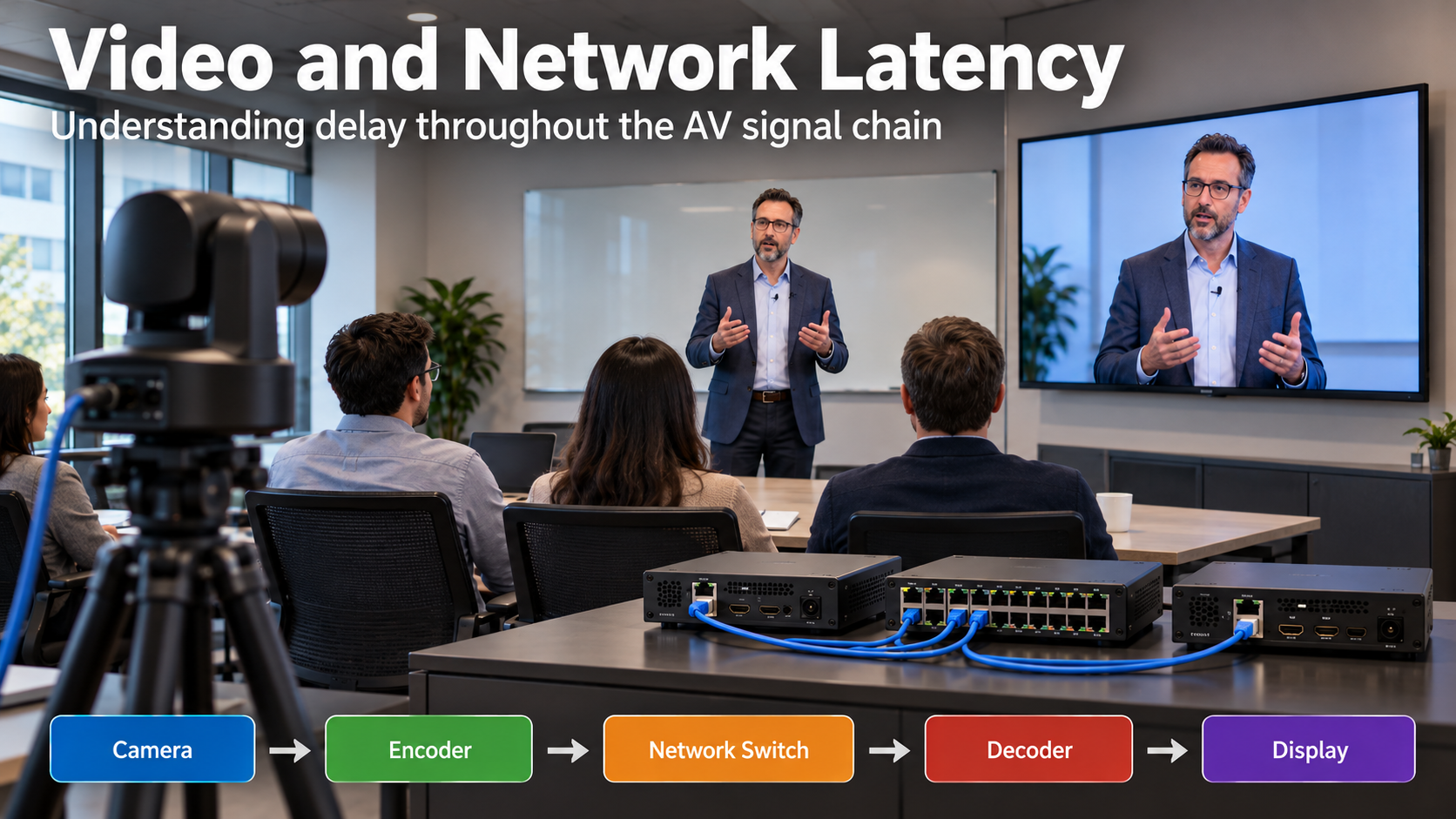
Latency is one of the most important factors affecting the performance of audio and video systems. Whether you’re working with a videoconferencing system, a live presentation, or a distributed AV-over-IP installation, excessive latency can cause noticeable delays, synchronization problems, and a poor viewing experience. Understanding where latency originates, how it is measured, and how individual […]
SIP Video Conferencing Calls Dropping After 15 Minutes: Causes and Solutions

When troubleshooting SIP-based video conferencing systems, one particularly frustrating problem is a call that connects successfully but disconnects after a consistent amount of time. In one case involving a video conferencing environment, SIP calls were dropping at approximately 15 minutes, despite establishing successfully. Initial troubleshooting suggested that the problem was related to SIP session timers, […]
TCP/IP vs. WSD Printer Ports: Differences, Setup, and Troubleshooting
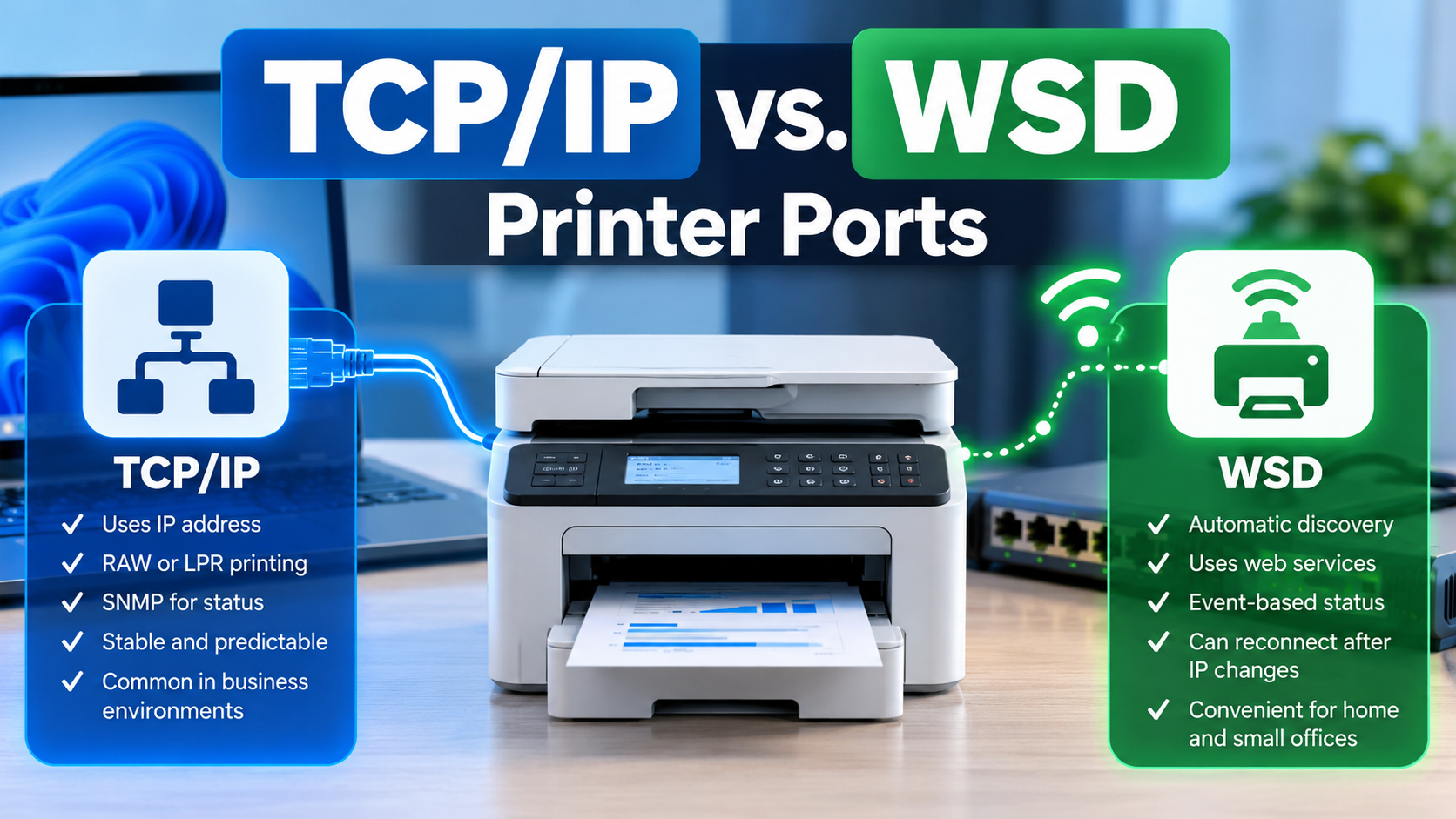
When installing a network printer in Windows, you may notice two different types of printer ports: Standard TCP/IP Port and WSD Port. Both allow a computer to communicate with a printer over a network, but they work differently when discovering printers, managing connections, sending print jobs, and reporting printer status. Understanding these differences can help […]
Troubleshoot and Fix the Microsoft Teams Meeting Add-in Missing in Outlook
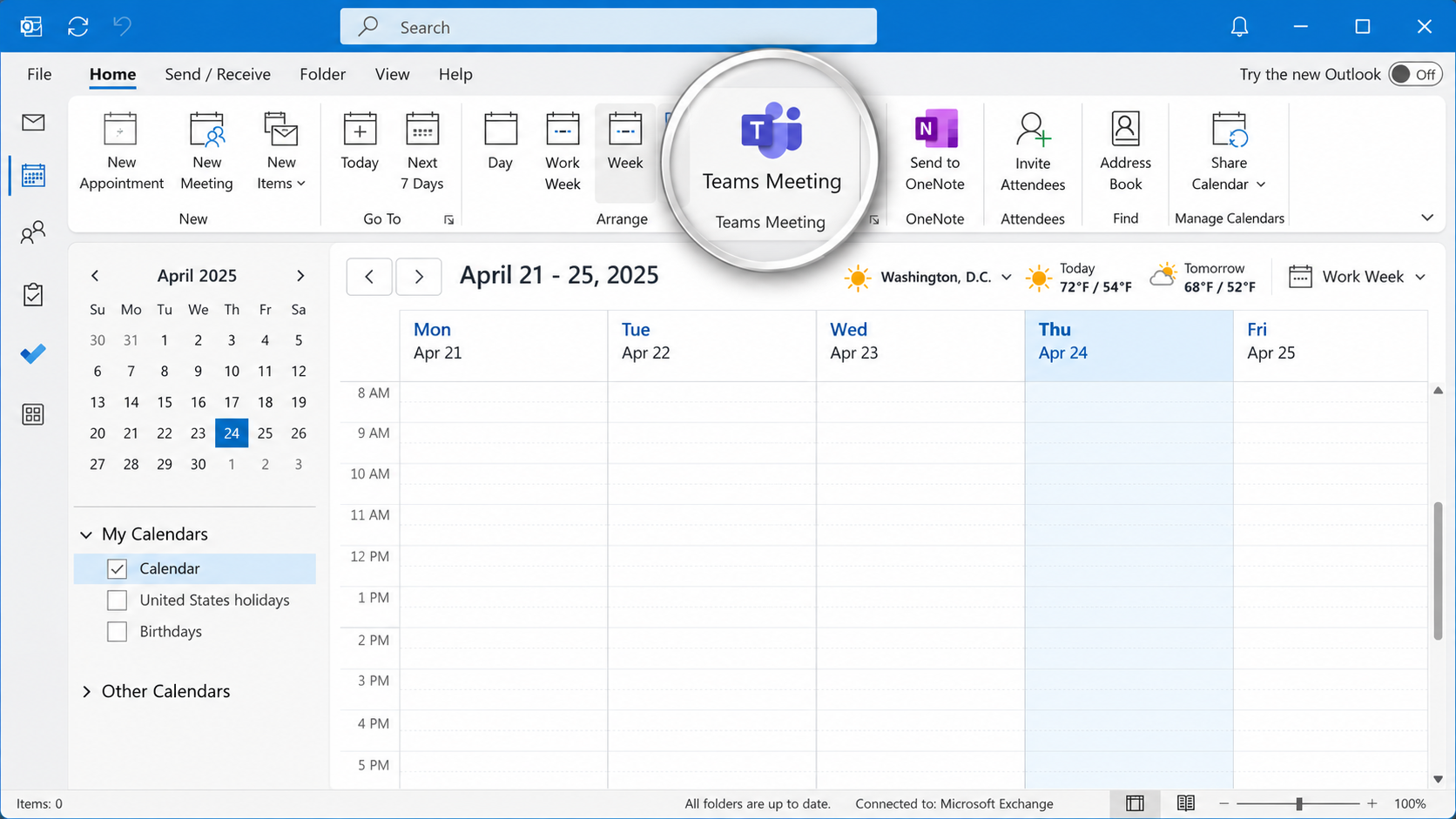
The Microsoft Teams Meeting add-in allows users to schedule and manage Teams meetings directly from Microsoft Outlook. However, the integration can occasionally stop working, causing the Teams Meeting button to disappear, become disabled, or fail to generate meeting invitations. These issues can occur following Microsoft Office updates, Teams upgrades, software installations, changes to Windows […]
Understanding Email Authentication Headers: SPF, DKIM, and DMARC Explained
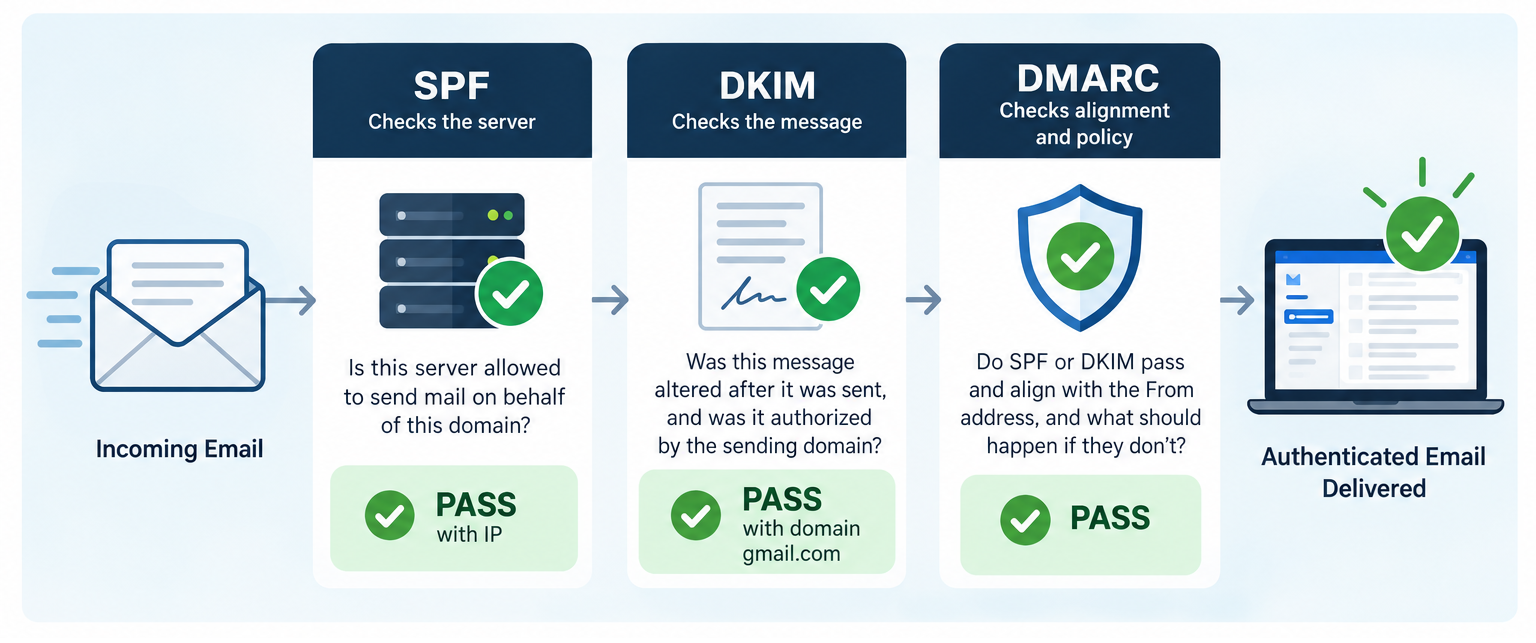
Email authentication plays an essential role in protecting against domain spoofing, phishing, and unauthorized email delivery. Three key standards, SPF (Sender Policy Framework), DKIM (DomainKeys Identified Mail), and DMARC (Domain-based Message Authentication, Reporting, and Conformance), work together to verify sending servers, validate message integrity, and confirm that authentication aligns with the sender’s domain. Understanding how […]
How to Temporarily Disable Cisco Duo Windows Logon for Emergency Recovery

Cisco Duo is a multifactor authentication (MFA) solution that adds an additional layer of security to Windows computers by requiring users to verify their identity during the sign-in process. However, there are situations where Duo can prevent an IT technician from accessing a computer to resolve an underlying problem. For example, a laptop may lose […]
What to Look for When Hiring a Managed Service Provider (MSP): The Complete Business Guide

Choosing a Managed Service Provider (MSP) is not simply a matter of finding someone to fix computers when they break. The provider may be responsible for your network, servers, cybersecurity, Microsoft 365 environment, backups, business applications, employee accounts, and the technology your organization relies on every day. A well-managed MSP can reduce disruption, strengthen security, […]
What Makes a Great Manager?

10 Lessons from Google’s Project Oxygen Research A company’s success depends on more than hiring talented employees. Even the most capable professionals can struggle under ineffective management, while strong leadership can help individuals and teams reach their full potential. But what actually makes someone a great manager? Google set out to answer this question […]
The Hidden Cost of Rework – Do It Once, Do It Right

In any organization, time is one of the most valuable resources available. Yet a surprising amount of that time can be lost correcting mistakes, repeating tasks, and revisiting work that should have been completed correctly the first time. This is known as rework, and although it may seem like a minor inconvenience, its cumulative impact […]
Troubleshooting Content Sharing Issues on Video Conferencing Room Systems

Troubleshooting Content Sharing Issues on Video Conferencing Room Systems Content sharing is an essential feature of video conferencing room systems, allowing participants to share presentations, documents, and computer screens during meetings. However, problems can occur when shared content fails to display, replaces the main camera feed, or appears as a black screen. These issues are […]